Skip to content
PlanArt logoPlanArt
All Tools

Create

Core Entry Points
Interior Design
  • AI Bedroom Design
  • AI Bathroom Design
  • AI Kitchen Design
  • AI Room Cleaner
  • AI Room Decorator
  • Furniture Layout
  • AI Furniture Generator
  • Living Room Floor Plan
  • AI Wall Design
  • Change Room Light
  • Paint Color Visualizer
  • AI Mood Board Generator
Architecture & Exterior Design
Floor Plans
Visualization Tools
Pricing

Create floor plan concepts

PlanArt logo
PlanArt
Interior DesignAI Bedroom DesignAI Bathroom DesignAI Kitchen DesignAI Room CleanerAI Room DecoratorFurniture LayoutAI Furniture GeneratorLiving Room Floor PlanAI Wall DesignChange Room LightPaint Color VisualizerAI Mood Board Generator
  1. Home
  2. All Tools
  3. Interior Design
  4. AI Bedroom Design

AI Bedroom Design From a Photo

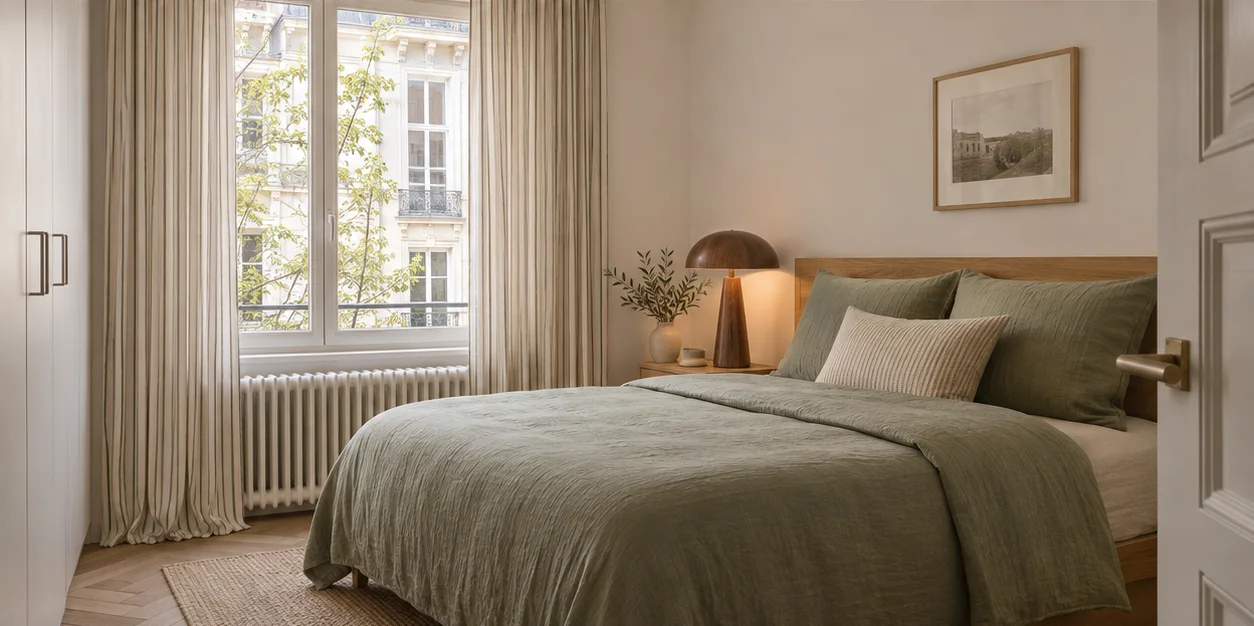
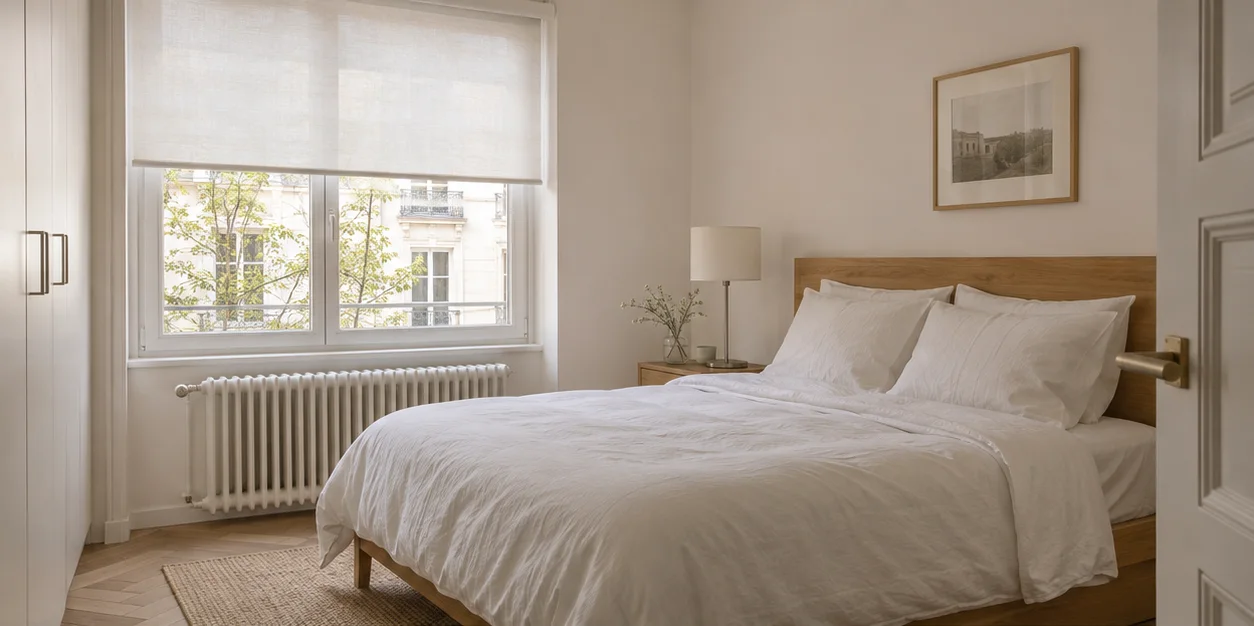
Try sage bedding beside your headboard, a new wall color or warmer lamps on your own photo. Drag the slider to compare this AI bedroom design with your original room.
Floor plan workspaceBrief · Style · Generate · DownloadReady for your brief
Design your bedroom
Or try a sample photo
Add design notes

The design keeps your room outline and openings as references. Compare the result with your photo before buying furniture.

Sign in to generate. New accounts receive 20 credits, enough for two 1K previews.

Result · Auto · 1K
Sage bedding on an oak bed with a warm bedside lamp beside the window
Original photo
Original photoBedroom makeover
History
Your bedroom designs will appear here.

What can you change with an AI bedroom designer?

Start with one decision: a new duvet, the wall behind the bed, or a reading lamp. A photo of your own room lets you judge that change against the floor, headboard and windows you already have.

For a full bedroom makeover, pick a style and choose whether to keep or rearrange the furniture. For a smaller change, use the design notes to name the materials, colors or pieces you want to keep.
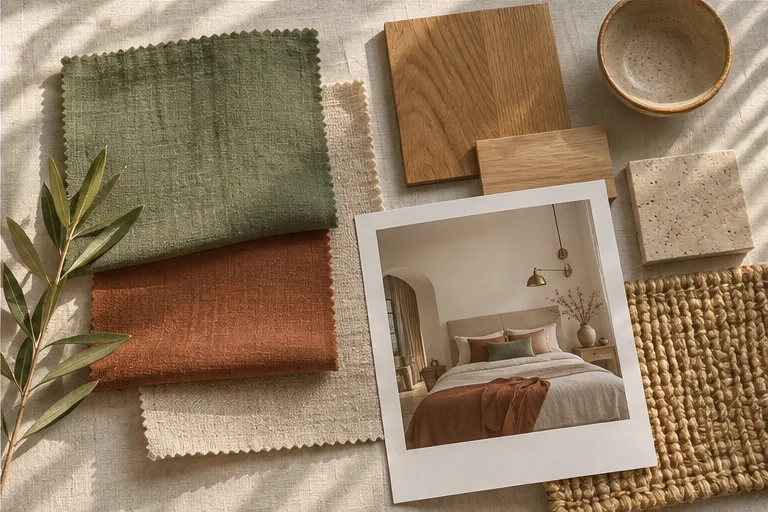
Bedroom material study with linen swatches, oak samples and a bedroom photograph
Use the concept alongside real fabric swatches and room measurements.

Four bedroom makeovers, before and after

Drag the slider on each sample to see what changed. Select an example’s name to load its settings, then add your own photo.

Compact bedroom with sage bedding and ivory curtains
Compact bedroom with white bedding beside a tall sash window
Original photoBedroom makeover

Sage linen for a compact bedroom

See how striped curtains and soft green bedding work together around the existing bed.

Primary bedroom with warm terracotta behind an upholstered bed
Primary bedroom with pale walls and a white duvet before the terracotta makeover
Original photoBedroom makeover

Terracotta and brass in a primary bedroom

Terracotta behind the bed sets off brass lighting and rust-colored linen.

Attic bedroom with indigo bedding and a lamp under a sloping ceiling
Daylit attic bedroom with white bedding beneath a sloping ceiling
Original photoBedroom makeover

An attic bedroom after dusk

Compare the original daylight view with indigo textiles and a warm reading light.

Guest daybed with a blue quilt and ochre throw
Guest daybed with plain white bedding
Original photoBedroom makeover

A daybed ready for guests

Compare the white cover with a slate blue quilt and ochre throw on the same bed.

Drag to compare the room before and after. The sample rooms are AI illustrations.

Try AI Bedroom Design
Bedroom ideas

Bedroom decorating ideas to try before you buy

Four ways to rethink the room around your bed.

Choose the part of the room you are deciding on, then compare a single change with the original.
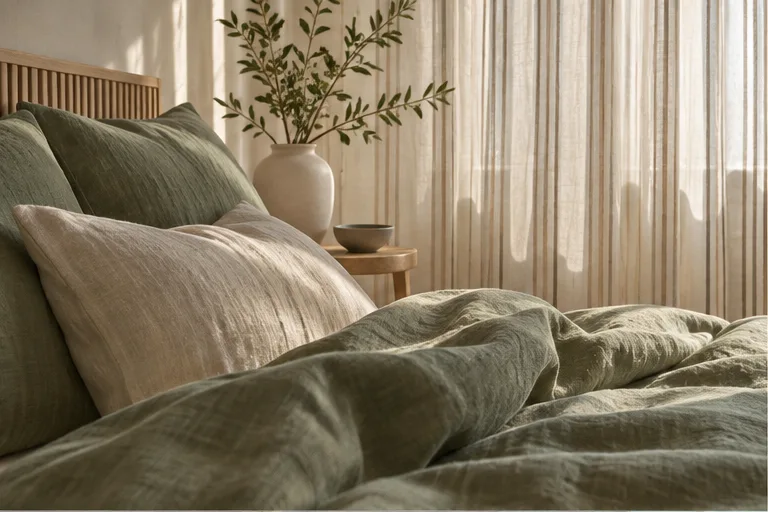
Sage bed linen beside ivory curtains
Soft furnishings

Refresh a rented bedroom with new bedding

Keep your landlord’s wall color and try a sage duvet against the headboard you already own. Select Bedding only to focus the change on the sheets, throw and pillows.
SettingsBedding only / Keep furniture
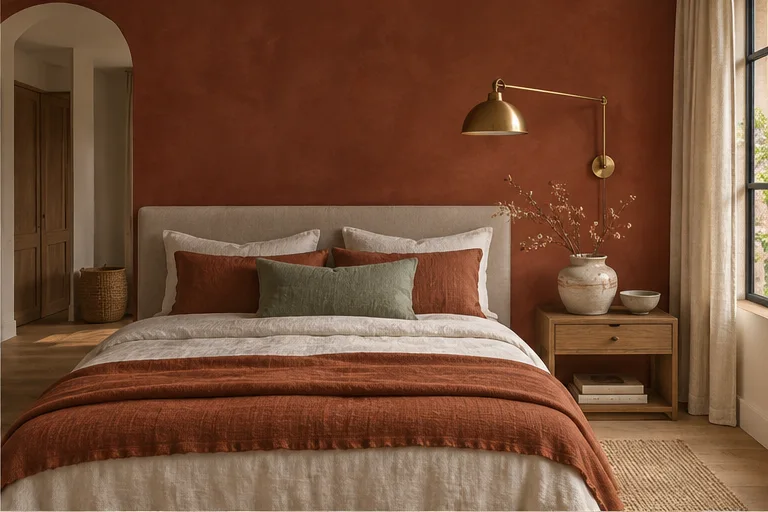
Terracotta wall, headboard and brass bedside lamp
Bed wall

Choose a wall color for your primary bedroom

Before buying paint, preview a terracotta wall behind the bed. Add a note to keep the headboard and artwork, then compare the wall color beside your existing furniture.
SettingsWall behind the bed / Design notes
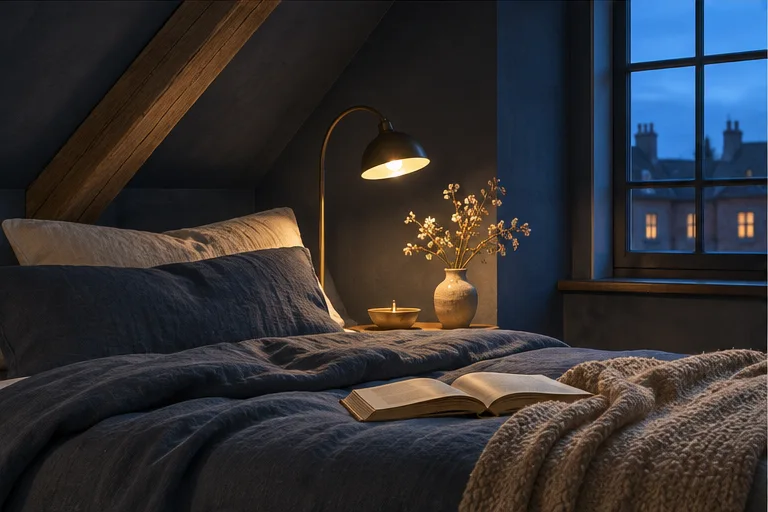
Warm bedside light in an attic bedroom
Bedside lighting

Compare bedside lamps in an attic bedroom

A sloped ceiling limits where a reading lamp can sit. Try a warm evening view to see where the light lands on the pillow, then measure the available height before you buy a lamp.
SettingsBedside lighting only / Warm evening light
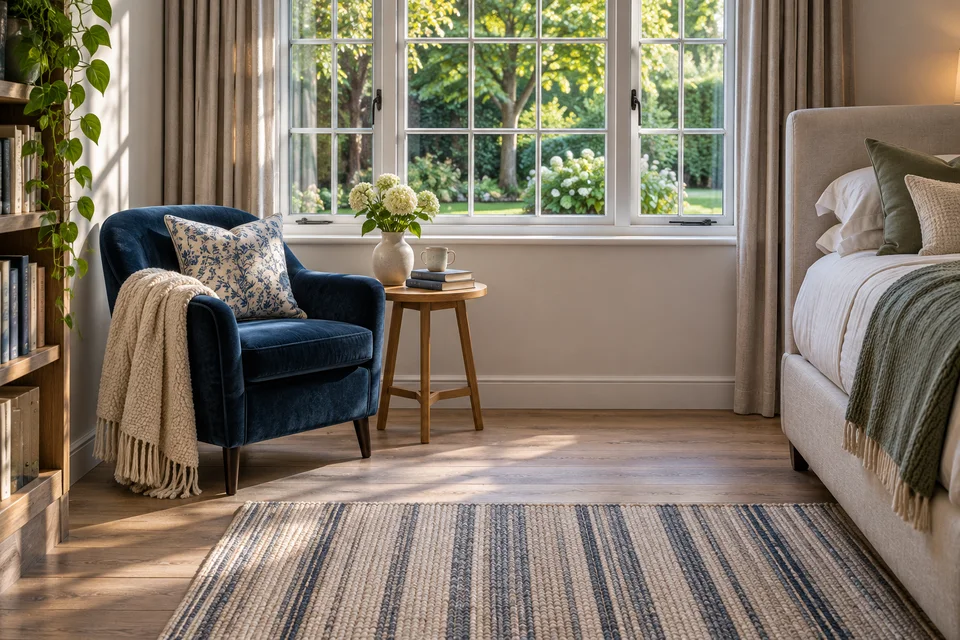
Reading chair and side table beside a bedroom window
Furniture layout

Make room for a reading chair

Try a chair beside the bedroom window. Choose a whole-room makeover and allow the furniture to move, then measure the space between the chair and the bed.

SettingsWhole bedroom / Explore new furniture and positions

Check colors against fabric or paint samples in your room before ordering.

How to redesign your bedroom from a photo

From the first snapshot to a downloadable design.

01

Upload a bedroom photo

Include the bed, floor and a window or doorway. Upload one JPG, PNG or WebP up to 10 MB, or select a sample room.

02

Choose the makeover and style

Select Bedding only to try new textiles, or Whole bedroom for a larger change. Pick a style and lighting. For example, add “Keep my oak bed and use sage linen” in the design notes.

03

Generate, compare and download

Sign in, review the resolution and credit cost, then generate. Drag the slider over your original photo and download your preferred version.

Bedroom design credits

Choose the resolution you need.

New accounts receive a one-time 20-credit welcome gift after sign-in, enough for two 1K images. A 1K image uses 10 credits; 2K uses 20 and 4K uses 30. 2K and 4K require a paid plan or credit pack. Each additional generation uses credits.

Starter

For occasional projects
$7.92/ month
$95/year🔥 Save 20%

1,500 credits released monthly; unused subscription credits reset each month.

Choose yearly Starter creative credits
  • 18,000 credits per year
  • Up to 1,800 1K bedroom designs per year
  • 1K, 2K and 4K image output
  • Photo-based bedroom makeovers
  • Targeted bedding, bed wall and lighting changes
  • Image downloads and shareable image links
  • Signed-in results in My Creations
  • Personal and commercial projects
Most popular

Pro

For active projects
$15.92/ month
$191/year🔥 Save 20%

4,000 credits released monthly; unused subscription credits reset each month.

Choose yearly Pro creative credits
  • 48,000 credits per year
  • Up to 4,800 1K bedroom designs per year
  • 1K, 2K and 4K image output
  • Photo-based bedroom makeovers
  • Targeted bedding, bed wall and lighting changes
  • Image downloads and shareable image links
  • Signed-in results in My Creations
  • Personal and commercial projects

Studio

For high-volume work
$31.92/ month
$383/year🔥 Save 20%

10,000 credits released monthly; unused subscription credits reset each month.

Choose yearly Studio creative credits
  • 120,000 credits per year
  • Up to 12,000 1K bedroom designs per year
  • 1K, 2K and 4K image output
  • Photo-based bedroom makeovers
  • Targeted bedding, bed wall and lighting changes
  • Image downloads and shareable image links
  • Signed-in results in My Creations
  • Personal and commercial projects

USD pricing · 10 credits per 1K bedroom preview

Related tools

Plan the rest of your room

View All Tools

Explore furniture arrangements, wall colors and lighting in more detail.

  • Furniture arranged into seating and circulation zones in a living room

    Furniture Layout

    Explore furniture arrangements on your room photo for clearer walkways, seating and activity zones.

  • Living room photo with warm evening lighting

    Change Room Light

    Preview warm, cool or natural light in your room photo.

  • Living room paint preview with a sage green wall and cream sofa

    Paint Color Visualizer

    Preview wall, ceiling or exterior paint colors on your own photo.

  • Living room restyled with cushions, artwork, a rug and plants

    AI Room Decorator

    Explore decor styles in your room photo while keeping your furniture.

AI bedroom design questions

Photos, free credits and what a bedroom preview can show.

How can I try AI bedroom design for free?

New accounts get 20 welcome credits after sign-in, enough for two 1K bedroom previews. You can look through the before-and-after examples before creating an account. When you generate your own design, the button shows the credit cost for the resolution you selected.

How do I keep my bed and windows in the same positions?

For a whole-room makeover, choose “Keep my bed and furniture positions” and name any pieces you want to keep in the design notes. The photo guides the camera angle and room openings. Compare the window edges and bed frame with the original before making a purchase.

What photo should I use for a small bedroom makeover?

Photograph the bedroom from a doorway or corner where the bed, floor and a window or door fit in one frame. Use even light so the edges of the furniture are visible. Upload one JPG, PNG or WebP up to 10 MB, or practice with the compact bedroom sample.

What prompt works for a bedding-only redesign?

Choose “Bedding only” and describe the fabrics you want to see. For example, try “Use an olive linen duvet, cream pillows and a wool throw. Keep my oak headboard.” Select “Match my photo” to compare the colors in the same light as your original bedroom.

How can I check whether a new wardrobe will fit?

Measure the wardrobe and the available wall, then check the door swing and walking clearance. A bedroom preview helps you judge whether a tall cabinet looks right next to your bed. The generated image has no verified scale, so use your measurements to decide what fits.

How do I compare and save different bedroom designs?

Generate one version, move the comparison slider over the bed or window, and download the image. To compare another look, keep the same reference photo and change one setting, such as the bedding or lighting. Each new version uses credits and appears in your signed-in history.

See a new look in your bedroom Start with the view from your doorway.

Start with the view from your doorway.

Upload a photo or use a sample. Sign in to generate your design.

Try AI Bedroom Design
PlanArt logoPlanArt

A thoughtful starting point for your next space. Explore concepts, compare possibilities, and bring a clearer brief to your designer.

support@floorplanai.art
All Tools

Core Entry Points

  • AI Floor Plan Generator

Interior Design

  • AI Bedroom Design
  • AI Bathroom Design
  • AI Kitchen Design
  • AI Room Cleaner
  • AI Room Decorator
  • Furniture Layout
  • AI Furniture Generator
  • Living Room Floor Plan
  • AI Wall Design
  • Change Room Light
  • Paint Color Visualizer
  • AI Mood Board Generator

Architecture & Exterior Design

  • Paint Color Visualizer

Floor Plans

  • AI Bathroom Design
  • AI Kitchen Design
  • Lighting Plan
  • 3D Floor Plan
  • Sketch to Floor Plan
  • 2D & 3D Floor Planner
  • Restaurant Floor Planner

Visualization Tools

  • AI Bedroom Design
  • AI Bathroom Design
  • AI Kitchen Design
  • Furniture Layout
  • AI Furniture Generator

Support

  • About Us
  • Pricing
  • Contact

© 2026 PlanArt · All Rights Reserved.

  • Privacy Policy
  • Terms of Service
  • Cookie Policy