

WOOD PANELINGNATURAL / TACTILE
Bring warmth to an accent wall.
Vertical oak panels introduce texture and rhythm behind an olive sofa without making the whole room the same material.
Use AI Wall Design to preview paint, wallpaper, wood paneling or stone in your own room photo. Choose one accent wall or all visible walls, compare the result with your original, and download a concept before buying materials.
Drag the sample comparison, or use a room photo to explore your own wall design.

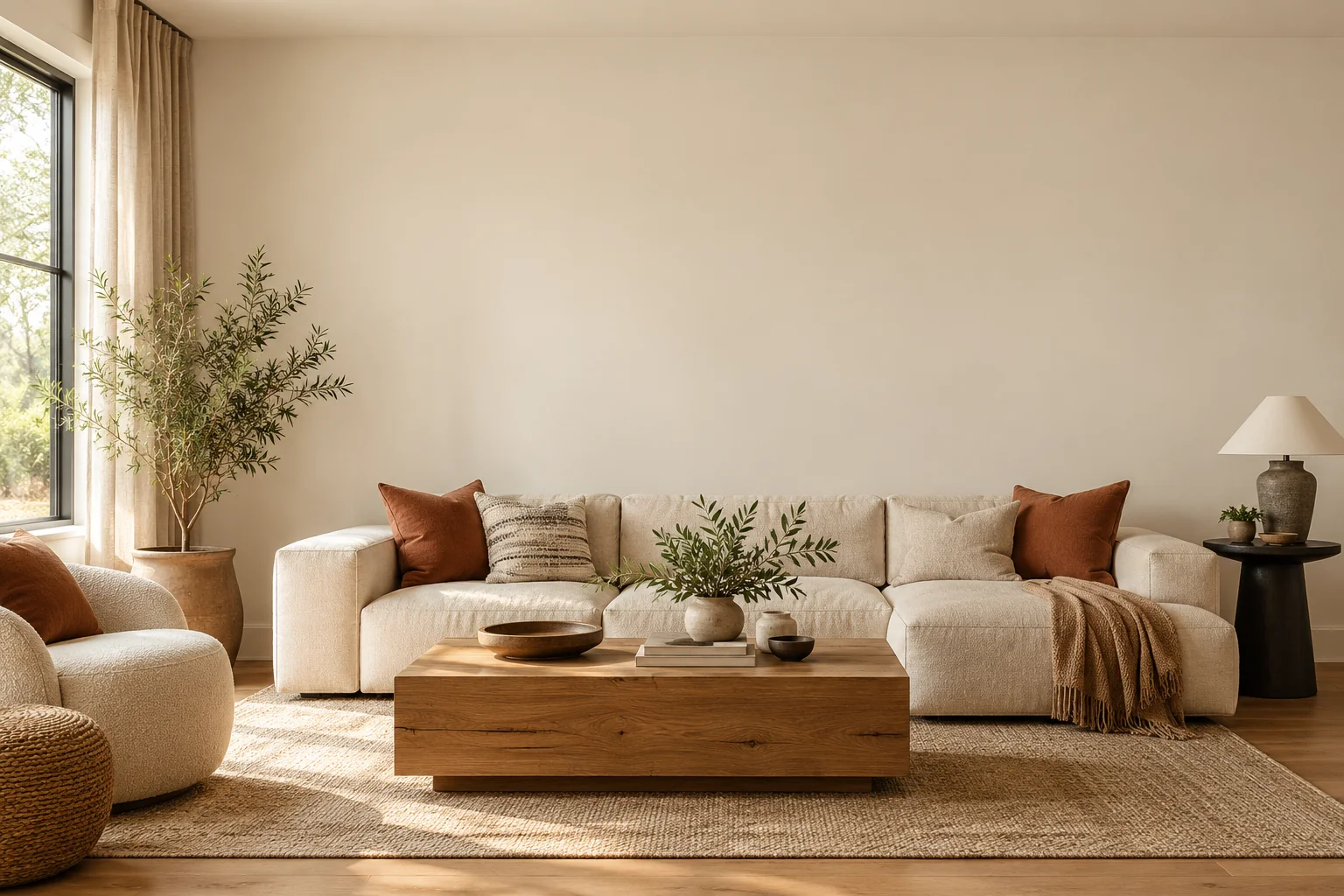
Drag to compare the original and the wall design. The sample is an AI-created illustration.
AI Wall Design lets you explore new wall finishes in a photo of your existing room. Instead of starting with an unrelated inspiration image, you can see how paint, wallpaper, wood panels or stone might work alongside your furniture and flooring.
Choose one accent wall or all visible walls, pick a material and a color direction, then generate a concept. Use the before-and-after comparison to discuss options with your household or designer before committing to a finish.

These AI-created examples show how wood, wallpaper and plaster can define a space. Select a finish to load its settings, then try it with your own photo.
Vertical oak panels introduce texture and rhythm behind an olive sofa without making the whole room the same material.

Muted botanical wallpaper adds detail behind the headboard. Try a similar direction in your photo before choosing a roll.

Tonal plaster catches daylight with subtle variation. Use it to compare an understated finish with your existing decor.
A wall update can change the feel of a room without a complete makeover. Explore a visual direction for your living room, rental or renovation project, then review it against the original.

Compare a stone, paint or wood treatment around your existing television. Use the result as a visual reference; cabinet sizes, wiring and structural work need a separate plan.

Try a restrained pattern in a bedroom photo before choosing removable wallpaper. The preview helps you discuss the look; check your lease and the material’s removal instructions separately.

Use a client’s room photo to compare a new wall color alongside the existing furniture. Share the concept and the original together so the intended change is easy to discuss.

Explore how a painted or paneled wall might relate to the rest of your space. Narrow down a direction with the image, then compare physical samples under the room’s actual light.
Illustrative AI concepts. Wall selection and preservation are editing instructions, not a guarantee of exact masking, color matching or buildable dimensions.
Choose one JPG, PNG or WebP up to 10 MB, or try the sample. Use a clear interior photo with the target wall visible.
Select one accent wall or all visible walls. Pick paint, wood, stone, wallpaper, limewash or tile, then use material colors or choose a color. Add wall details if needed.
Sign in, check the resolution and credit cost, then generate one concept. Compare it with the original and download the image. A different finish is a new generation.
Each 1K wall concept uses 10 credits; 2K uses 20 and 4K uses 30. Photo-based generation requires sign-in. Registered accounts receive 100 daily credits when they visit; 2K and 4K require a paid plan or credit pack.
1,500 credits released monthly; unused subscription credits reset each month.
Choose yearly Starter for AI Wall Design4,000 credits released monthly; unused subscription credits reset each month.
Choose yearly Pro for AI Wall Design10,000 credits released monthly; unused subscription credits reset each month.
Choose yearly Studio for AI Wall DesignUSD pricing · Credit packs never expire · 10 credits per 1K wall concept
Compare paint colors, clear visual clutter and explore room decor or a mood board alongside your wall design.

Preview wall, ceiling or exterior paint colors on your own photo.

Remove clutter from a room photo while keeping furniture, or preview an empty room.

Explore decor styles in your room photo while keeping your furniture.

Create room mood boards with furniture, textures and color palettes.
Photo requirements, wall materials, trial credits and the limits of an AI preview.
Upload a clear room photo, choose a wall material, and select one accent wall or all visible walls. Identify the wall behind a sofa, bed or TV, or describe another location. Sign in and generate one concept, then compare it with your original and download the image.
Registered accounts receive 100 daily credits when they visit. Each 1K wall concept uses 10 credits, allowing up to 10 concepts from that allowance. Sign-in is required, and unused daily credits expire at 00:00 UTC. Outputs at 2K or 4K require a paid plan or credit pack and use 20 or 30 credits.
Choose One accent wall and Behind the TV, then select paint, wood or stone and add your preferences. The AI receives instructions to keep the television and cabinet in place. Review the comparison for changes. An AI media wall design is a visual reference, without measured cabinetry or wiring plans.
Select One accent wall and identify its location. The edit is instructed to preserve other walls, furniture, floors, doors, windows and the camera view. AI can still alter details, so compare the result with your original. Wall selection uses text and settings rather than a precise manual mask.
The generator offers paint, wood panels, stone, wallpaper, limewash plaster and ceramic tile directions. Use natural material colors or choose a custom color to guide the edit. Patterns, joints and texture scales are generated concepts. The result does not preview a specific wallpaper roll, tile collection or branded material.
AI wall colors provide a visual direction rather than a calibrated paint match. Your source photo, room lighting, display and generated image all affect the appearance, even when you choose a HEX color. Compare physical paint or material samples under your room’s actual light before ordering.
AI Wall Design is configured for interior room photos and decorative wall finishes. Exterior materials, boundary walls and retaining-wall engineering are outside this workflow. The tool does not calculate structural loads, wall dimensions or construction specifications. Use interior previews to discuss appearance, then have practical requirements assessed separately.
Upload one JPG, PNG or WebP up to 10 MB. The output follows your source photo’s aspect ratio at the selected 1K, 2K or 4K resolution. Download the result or copy its image link. Each output is a flat visual concept without editable layers or measured wall dimensions.
starting with the room you already have.
Choose a wall. Explore a finish.
Try AI Wall Design